
Backup your internal SSD drive
Updated 11-06-2009
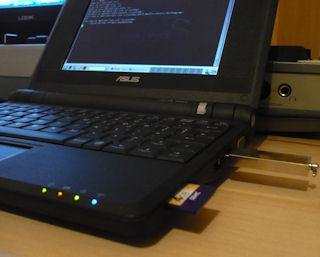
I will be backing up my 4 GB SSD onto a USB drive.
Before you start, it is worth noting that the normal FAT32 file system on most USB drives limits the maximum file size to around 4 gig. With that said, if you attempt to backup an 8GB or larger eeePC then you will need to change the file system on your USB drive.
First we need to boot into Linux with a USB drive, open up a terminal window and at the prompt type:
sudo -i to increase your privileges
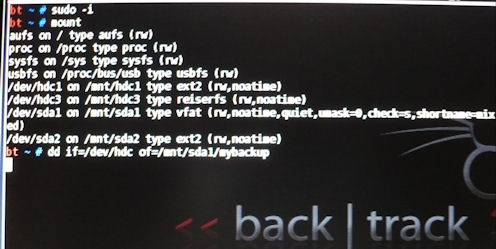
Make a note of your USB drive by using the mount command. mine is /dev/sda1, also you will need the drive that you want to back up, in this example we will be backing up all partitions in one go on the hdc drive.
Running the backup
1. In your terminal type: dd if=/dev/hdc of=/mnt/sda1/mybackup (remembering to replace hdc and sda1 with your drive names). Sit back and relax, this will take a loooong time...
Restoring the backup
1. Boot into Linux with a USB drive
2. In your terminal type: dd if=/mnt/sda1/mybackup of=/dev/hdc
User Manuals
Software Guide 
Hardware Guide
 Install Backtrack 3 to Internal Drive
(4gig+ version only)
Video / Text Version
 eee PC Troubleshooting
A list of various problems and solutions on the eeePC.
more
 Backup your eeePC
This guide shows you how to make an image of the SSD including all partitions.
Read the guide
 Make a bootable USB flash drive
In this guide we will create a USB stick that boots into Linux Backtrack.
Read the guide